Pleos Connect SDK
Built for speed, designed for scale — powered by Pleos Connect SDK
Vehicle SDK
1Expands utilization and control of vehicle data while maintaining compatibility with Android APIs, enabling more refined and integrated user experiences.
NaviHelper SDK
2Offers an API integrated with the built-in navigation app on Pleos Connect, supporting features such as setting destinations, adding or deleting routes, and retrieving driving paths and charging provider information.
FusedLocation SDK
3Combines vehicle sensor data—including GPS, IMU, and camera inputs—to deliver precise and reliable vehicle location information.
TextToSpeech SDK
4Enables in-vehicle apps to convert text into speech and play it back using on-device and cloud-based speech synthesis APIs.
SpeechToText SDK
5Enables in-vehicle apps to recognize speech and receive text results using on-device and cloud-based speech recognition APIs.
New SDKs Coming Soon
We are developing new SDKs to help you build apps for vehicles faster and smarter.
Support to be expanded to more categories
Cloud-connected personalization
SDK support will be expanded to enable a continuously connected user experience by leveraging cloud-managed driver profiles, vehicle settings, and personalization data.
New customer touchpoints and service opportunities
The vehicle becomes a new digital touchpoint for engaging with customers, creating new services and business opportunities tailored to the mobility experience.
Location-based lifestyle services
SDKs will support the development of lifestyle apps by utilizing various location-based data, such as maps, address search, place search, and real-time traffic information.
Expanded user experience
Upcoming SDKs will allow smartphones and other devices to interact with the vehicle for services such as remote control, OTA updates, and vehicle event notifications. Support will also be extended to the development of compatible peripheral devices for Pleos Connect.
Fleet API
Pleos Fleet data analysis and monitoring service via API
Frictionless vehicle data access
1Vehicle data can be utilized immediately—no terminal device or telecom provider sign-up required. Standardized data specifications ensure easy integration with various services. Features can be applied flexibly without additional development, while maintaining consistency and compatibility.
Modular feature selection
2It supports optional features such as schedule management, real-time monitoring, and accident control. You can opt in only for what’s needed, minimizing complexity and maximizing service efficiency.
Real-time vehicle status callback
3Real-time callbacks provide vehicle status updates, including system errors and door activity, enabling early issue detection and prompt response to support stable and efficient operations.
Vehicle Data API
Unified access to multi-brand vehicle information
Single API for easy access
1We standardize connected car data from Hyundai, Kia, and Genesis and provide it through a single, unified API. With simple REST API integration, you can conveniently access a wide range of vehicle data across different vehicles.
Build mobility services powered by vehicle data
2Our API provides not only vehicle status, vehicle operational status, mileage, vehicle location, and warning indicators, but also foundational source data behind those metrics. Use these vehicle data to easily develop mobility services for finance, insurance, fleet management, and more.
Secure and reliable data you can trust
3Only data from users who have explicitly agreed to share their vehicle information by linking their connected car accounts is accessible. All vehicle data is securely managed according to security policies, giving you confidence in compliant data use.
Test your app with Pleos Connect Emulator
Pleos Connect Emulator provides a virtual runtime environment for developing and testing Pleos Connect apps without needing a physical vehicle. Run your app in an environment similar to a real vehicle, and test app behavior and integration with the vehicle platform by simulating various vehicle states.
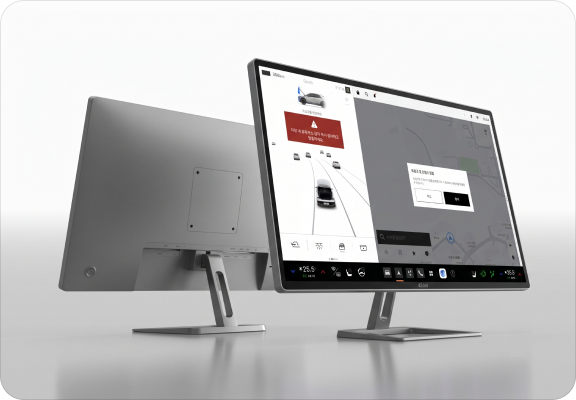
Pleos Connect OS environment
The emulator provides the Pleos Connect system UI (including the Home screen, GNB, driving view, and multi-window mode) and app runtime. Verify that your app renders correctly across different UI configurations and functions as intended in response to user interactions.
Vehicle state simulation
Verify that your app behaves as intended in response to changes in vehicle state. Use the Pleos Connect Virtual Console to change vehicle states, events, and vehicle properties and simulate various vehicle conditions.
In-vehicle peripherals and input devices
Use the emulator to configure and test the in-vehicle peripherals and input devices your app uses, including the microphone, audio, and physical buttons.
Devbox
Dedicated hardware for intuitive app validation and testing
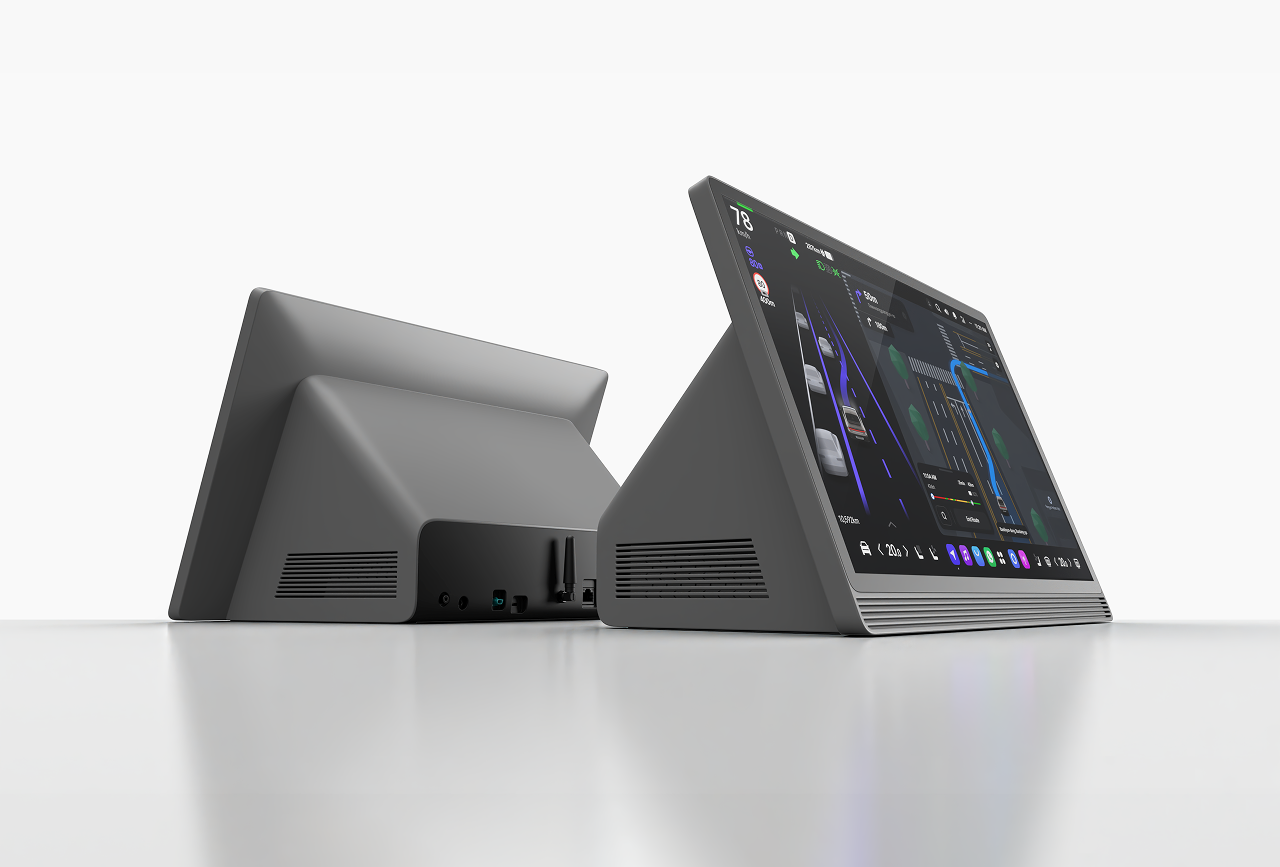
App testing with Devbox
Devbox is a hardware device designed for testing apps in an environment that closely resembles real-world vehicle conditions. It includes the default apps installed on actual vehicles, and apps developed for Pleos Connect can be downloaded or updated through Pleos App Market.
Devbox spec
- Display size
- 17 inch
- Resolution
- 2,560 x 1,440 pixels
- USB
- USB 3.0 1EA + USB 2.0 1EA
- Connectivity
- Wi-Fi/Bluetooth/GPS/Ethernet/Mic